告诉它要多大,
剩下的它算。Tell it the size.
It works out the rest.
视频发不出去、HEIC 在 Windows 上打不开、上传被拦下来说文件太大。Offline Convert 在你的 iPhone 上转换和压缩,全程不联网,飞行模式也能用。A video too big to send. A HEIC that Windows won't open. An upload rejected for size. Offline Convert converts and compresses on your iPhone, with no network at all — it works in airplane mode.
 iPhone,iOS 17 及以上。免费下载,每天 3 次;解除限制一次买断。For iPhone, iOS 17 and later. Free to download, three a day; one purchase removes the limit.
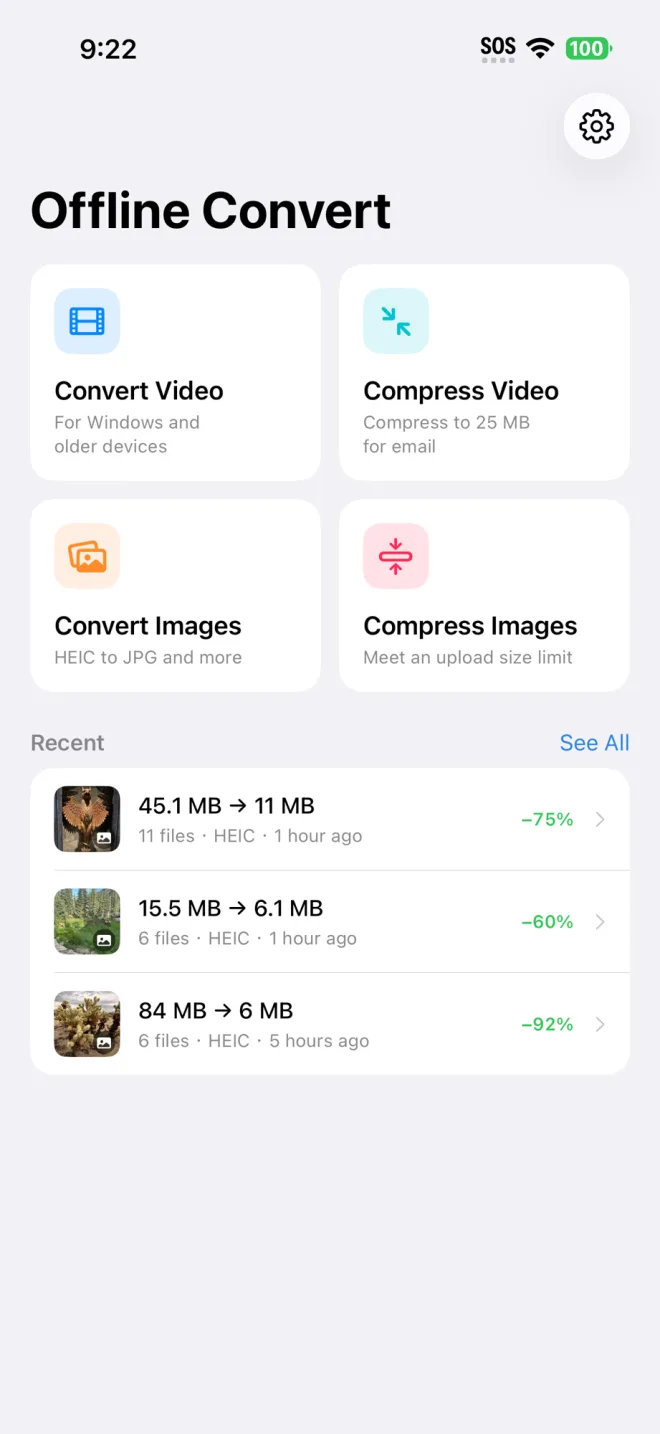
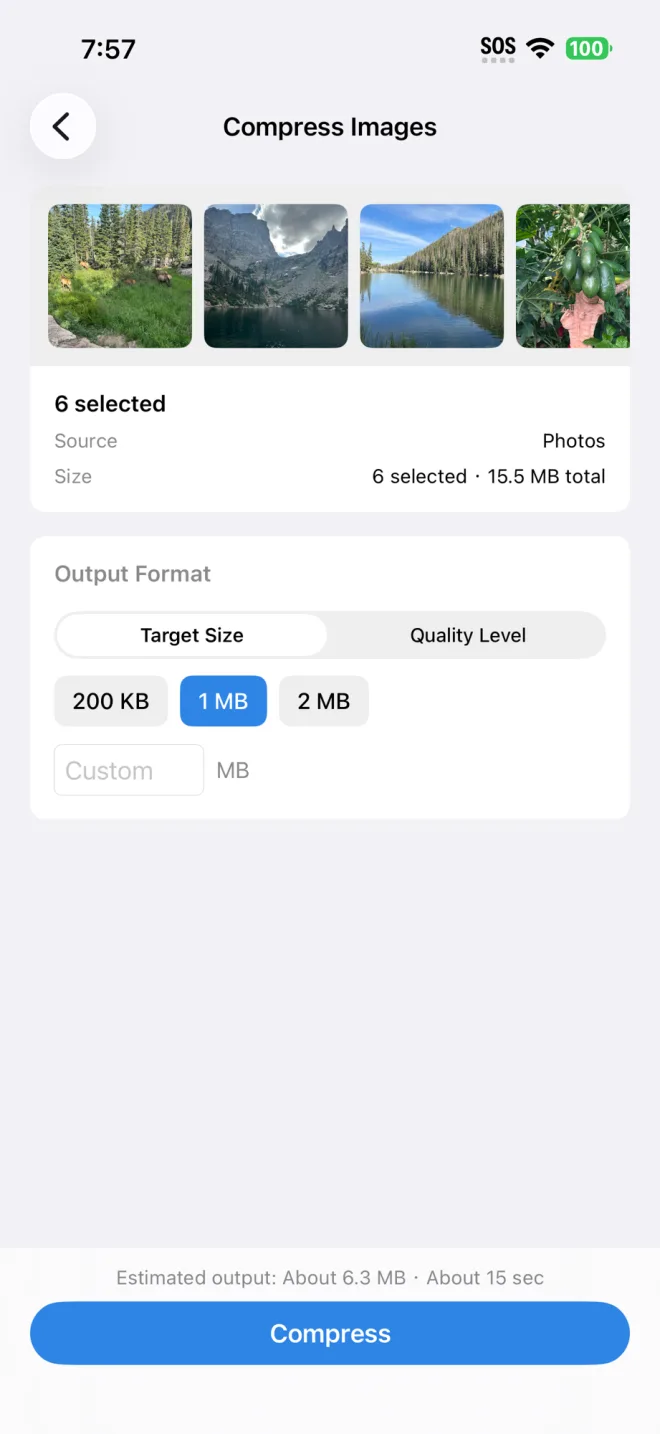
一次真实的批量压缩:6 张照片 84 MB 变成 6 MB,画面没有可见损失。One real batch: six photos, 84 MB down to 6 MB, with nothing visibly lost.
它做什么What it does
-
转换视频Convert video
MOV/HEVC 转成 MP4/H.264,给放不了 iPhone 视频的 Windows 电脑和老设备。MOV/HEVC to MP4/H.264, for Windows PCs and older devices that will not play iPhone video.
-
压缩视频Compress video
压到一个上限以内,比如邮件附件的 25 MB。Get under a limit, like the 25 MB an email attachment allows.
-
转换图片Convert photos
HEIC 转 JPG、PNG、PDF 等等。HEIC to JPG, PNG, PDF and more.
-
压缩图片Compress photos
满足上传的大小限制,不用一遍遍试质量档位。Meet an upload size limit without hunting for the right quality setting.
和别的转换器不一样的地方What is different here
给大小,不是给滑块A size, not a slider
你说「1 MB」,它自己反推码率和质量。不用猜参数,也不用转三遍才压到限制以内。You say "1 MB" and it works out the bitrate and quality. No guessing, and no converting three times to land under a limit.
一次几十个文件Built for batches
一次选几十个。进度页显示哪些已完成,中途取消不会丢掉已经转好的。Pick dozens at once. The progress screen shows which are done, and cancelling midway keeps what already finished.
没有服务器There is no server
转换引擎里根本没有联网代码。没有账号,没有水印,没有广告,你的视频和照片不会离开这台手机。The conversion engine contains no networking code at all. No account, no watermark, no ads; your files never leave the phone.
记录写的是实话The history says what changed
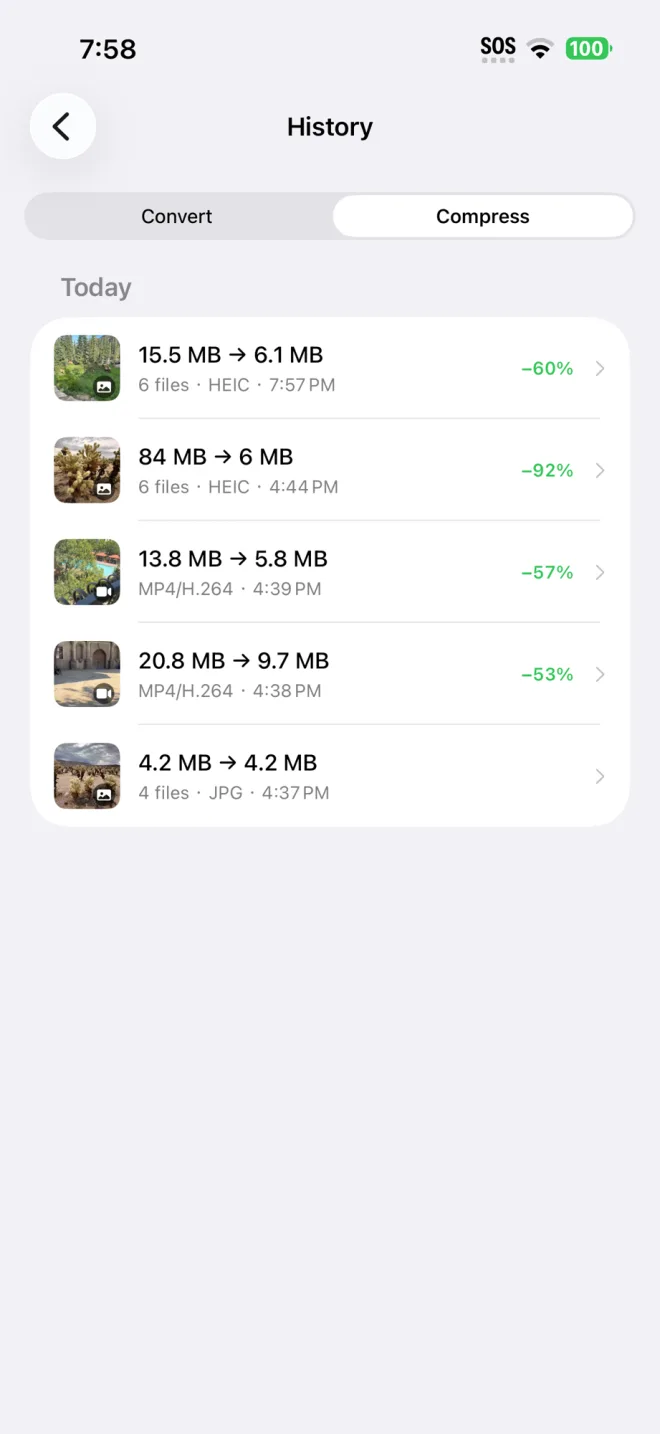
大多数转换器做完只告诉你「完成」。你不知道它究竟转成了什么格式,也不知道压掉了多少。Most converters finish by saying "done". They do not tell you which format you actually got, or how much was actually saved.
这里每一条记录都写清楚:HEIC 转成 JPEG,或者 248 MB 压到 24 MB。看得见做了什么,才知道下次要不要换个设置。Here every job records the real numbers: HEIC to JPEG, or 248 MB to 24 MB. Seeing what happened is what tells you whether to change anything next time.
- 原文件保持不动,输出是新文件Your originals are left alone; the output is a new file
- 免费档和付费档输出质量完全一样Free and paid produce identical output quality
- 没有水印,任何档位都没有No watermark, on any tier
- 可以从「照片」「文件」或聊天软件直接分享进来Share straight in from Photos, Files or a messaging app
常见问题Questions
文件会被上传吗?Are my files uploaded?
不会。转换引擎里没有任何联网代码,所以飞行模式下也能正常用 —— 这也是最直接的验证方法。No. The conversion engine has no networking code, which is why it works in airplane mode — the simplest way to check for yourself.
压缩之后画质会变差吗?Will compressing ruin the quality?
会有损失,但由你定。你给一个目标大小,它在这个前提下取尽可能好的质量,并先估算出结果大小让你确认。也可以直接选质量档位而不给大小。There is loss, and you decide how much. You give a target size, it takes the best quality that fits, and it estimates the result before you commit. You can also pick a quality level instead of a size.
免费能用到什么程度?How much is free?
每天 3 次转换,不限文件大小和时长,输出质量和付费版完全一样,没有水印也没有广告。Three conversions a day, with no cap on file size or length, the same output quality as paid, no watermark and no ads.
有 Android 版吗?Is there an Android version?
还没有。目前只有 iPhone 版。Not yet. iPhone only for now.
买断排在前面,因为它更划算The one-time purchase comes first
免费Free
$0
- 每天 3 次转换Three conversions a day
- 不限文件大小和时长No cap on file size or length
- 无水印,无广告No watermark, no ads
Pro
$9.99一次付费,永久使用once, yours forever
- 解除每天 3 次的限制Removes the daily limit
- 输出质量与免费版相同Same output quality as free
也有 $4.99 一年的订阅,带 3 天试用,给想先试一阵的人。订两年比直接买断还贵,这是故意的:买断才是我们推荐的那档。A US$4.99 yearly plan with a three-day trial exists for anyone who wants to try before committing. Two years of it costs more than buying outright, deliberately: the one-time purchase is the one to take.